Difference between revisions of "Viewing Objects with Semantic Errors"
(Created page with "After having carried out Structural or Semantic Checks you will have to go through the errors and take measures if need be. ==Semantic Errors: Acti...") |
|||
| Line 4: | Line 4: | ||
==Semantic Errors: Active Filter== | ==Semantic Errors: Active Filter== | ||
| − | Open the [[Edit Visibility Settings]] window, set the '''Active Filter''' to '''Semantic Errors''' and check | + | Open the [[Edit Visibility Settings]] window, set the '''Active Filter''' to '''Semantic Errors''' and check all test records you would like to make visible in object list and map: |
| + | |||
| + | [[file:window_visibility-settings_sem-errors.png|alt=|link=]] | ||
| + | |||
| − | |||
| − | |||
| − | |||
Revision as of 15:32, 8 May 2012
After having carried out Structural or Semantic Checks you will have to go through the errors and take measures if need be.
Semantic Errors: Active Filter
Open the Edit Visibility Settings window, set the Active Filter to Semantic Errors and check all test records you would like to make visible in object list and map:

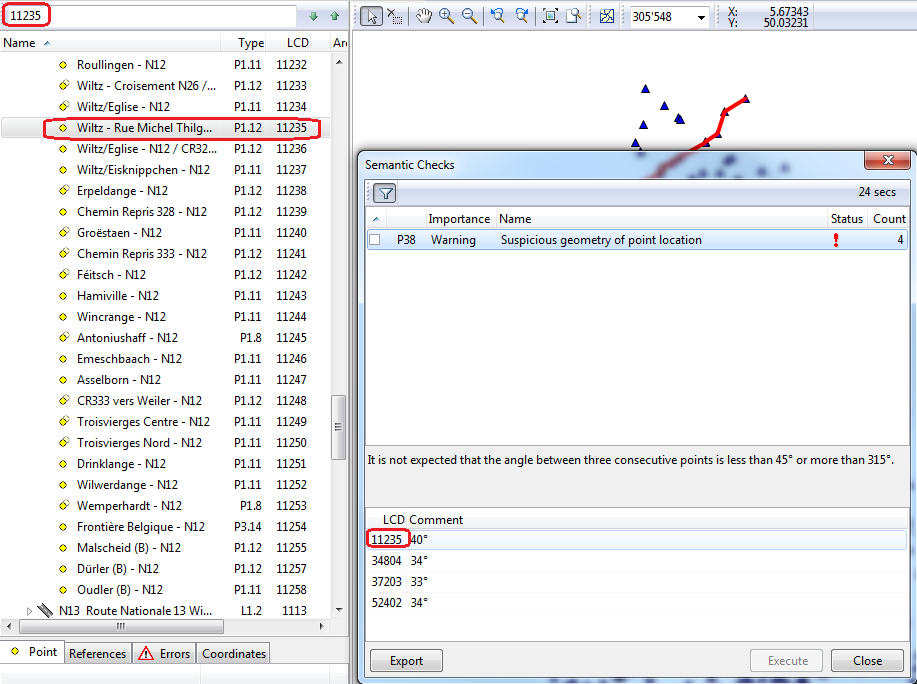
Search by LCD number
If the errors have to be visualized on the map, the LCD-Number of the street, given in semantic, respecitvely structural checks is searched in the tree by the Search Tree function.