Difference between revisions of "System Status"
| (3 intermediate revisions by the same user not shown) | |||
| Line 1: | Line 1: | ||
| − | [[ | + | [[:category:Help|'''Help''' menu]] → [[File:SystemStatus.png|link=|alt=]] |
| − | + | <br> | |
| − | + | <br> | |
| − | [[: | + | The '''System Status''' gives the user information about the database connection. |
<br> | <br> | ||
| + | *On what type of system the programm is working | ||
| + | *Which database is currently used | ||
| + | *What the username is | ||
<br> | <br> | ||
| − | + | [[File:ApplicationSystemStatus.png|link=|alt=]] | |
| − | |||
| − | |||
| − | |||
| − | |||
| − | [[File: | ||
| − | |||
| − | |||
| − | |||
| − | |||
| − | |||
| − | |||
| − | |||
| − | [[Category: | + | [[Category: Help]] |
Latest revision as of 12:30, 3 November 2015
Help menu → 
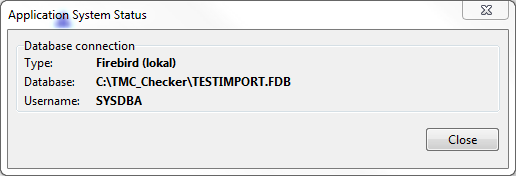
The System Status gives the user information about the database connection.
- On what type of system the programm is working
- Which database is currently used
- What the username is