Difference between revisions of "Structural Checks"
| Line 6: | Line 6: | ||
[[File:StructuralChecks.png|link=|alt=]] | [[File:StructuralChecks.png|link=|alt=]] | ||
| − | |||
{{Warning}} | {{Warning}} | ||
<br> | <br> | ||
| − | + | If the Check has to be redone, not all the data has to imported for a second time. When using it again, at the Welcome-window '''Open existing database...''' is chosen for importing the data of the prior use. | |
| − | |||
| − | |||
| − | |||
| − | |||
| − | If the Check has to be redone, not all the data has to imported for a second time. When using it | ||
<br>[[File:OpenExistingDatabase.png|link=|alt=]] | <br>[[File:OpenExistingDatabase.png|link=|alt=]] | ||
<br><br> | <br><br> | ||
Revision as of 17:06, 8 May 2012
Menu Checks → Structural Checks
Please refer to Semantic Checks to learn about Status symbols ( /
/ ), filtering checks, viewing check details or exporting check results to Excel.

 Important Advice
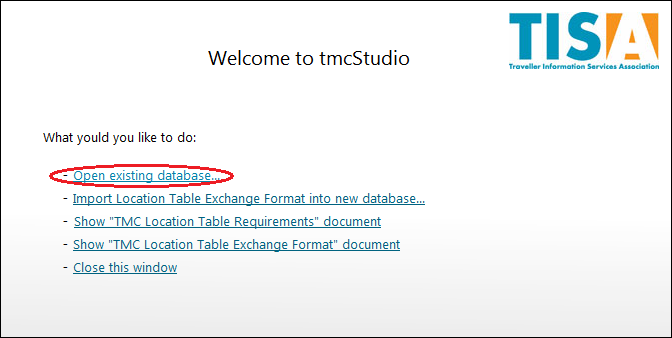
If the Check has to be redone, not all the data has to imported for a second time. When using it again, at the Welcome-window Open existing database... is chosen for importing the data of the prior use.
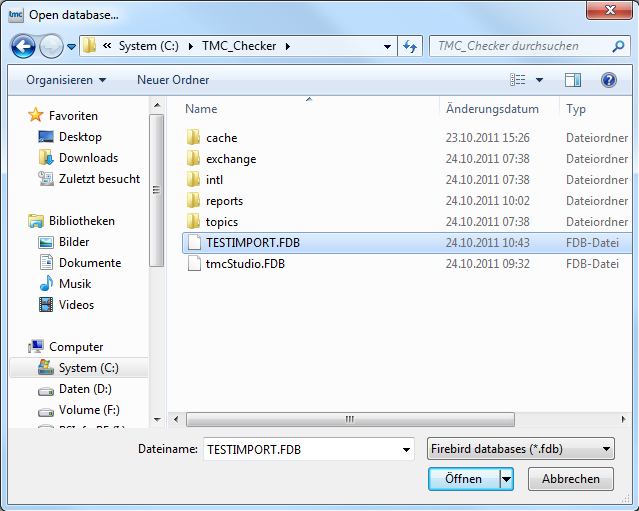
The file saved before is chosen and afterwards opened.