Difference between revisions of "Semantic Checks"
| Line 9: | Line 9: | ||
<br> | <br> | ||
Only the '''major errors''' are shown in the structural checks, but not the '''warnings''' | Only the '''major errors''' are shown in the structural checks, but not the '''warnings''' | ||
| + | |||
| + | |||
| + | |||
| + | |||
| + | |||
| + | |||
| + | The errors found in the '''[[Structural Checks]]''', are visible when opening ''Checks\Structural Checks''. Again, they are directly shown when activating the filter. | ||
| + | <br>[[File:StructuralChecks.png|link=|alt=]] | ||
| + | <br><br> | ||
| + | For exporting the information, the most suitable way is to do it by a '''[[Export Combined Report|Combined Report]]'''. | ||
| + | <br>[[File:CombinedReport.png|link=|alt=]] | ||
| + | <br><br> | ||
| + | The file is saved as an ''Excel workbooks (*.xls) in the appropriate folder. | ||
| + | <br>[[File:ExcelFile.png|link=|alt=]] | ||
| + | <br><br> | ||
| + | When clicking save, the excel file will automatically be opened. It show the different errors found while checking the TMC. | ||
| + | <br>[[File:Excel.png|link=|alt=]] | ||
| + | <br> | ||
| + | <br> | ||
| + | [[File:DifferentErrors.png|link=|alt=]] | ||
| + | <br> | ||
| + | <br> | ||
| + | <br> | ||
| + | {{Warning}} | ||
| + | <br> | ||
| + | If the Check has to be redone, not all the data has to imported for a second time. When using it for again, at the Welcome-window '''Open existing database...''' is chosen for importing the data of the prior use. | ||
| + | <br>[[File:OpenExistingDatabase.png|link=|alt=]] | ||
| + | <br><br> | ||
| + | The file saved before is chosen and afterwards opened. | ||
| + | <br>[[File:Testimport.png|link=|alt=]] | ||
| + | <br> | ||
| + | <br> | ||
| + | <br> | ||
| + | {{Warning}} | ||
| + | <br> | ||
| + | If the errors have to be visualized on the map, the '''LCD-Number''' of the street, given in semantic, respecitvely structural checks is searched in the tree by the [[Search Tree]] function. | ||
| + | <br>[[File:VisualizeRoad.png|link=|alt=]] | ||
| + | <br>[[File:VisualizedRoad.png|link=|alt=]] | ||
| + | <br><br> | ||
| + | It's possible to have in the tree only the points containing errors. For this, the [[Edit Visibility Settings|visibility settings]] have to be edited and the Semantic Errors activated by putting a tick in front of the error. | ||
| + | <br>[[File:OnlyErrors.png|link=|alt=]] | ||
| + | <br>[[File:ErrorPoint.png|link=|alt=]] | ||
| + | |||
| + | [[Category: Checks]] | ||
| + | [[Category: Export]] | ||
| + | [[Category: Import]] | ||
| + | |||
| + | |||
| + | |||
| + | |||
[[Category:Checks]] | [[Category:Checks]] | ||
Revision as of 10:54, 8 May 2012
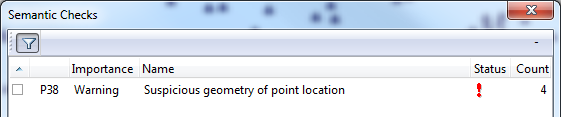
The Semantic Check shows on what streets the programm has found errors.
The errors are directly shown when using the filter.
- →Compare with Checker
 Important Advice
Only the major errors are shown in the structural checks, but not the warnings
The errors found in the Structural Checks, are visible when opening Checks\Structural Checks. Again, they are directly shown when activating the filter.

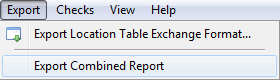
For exporting the information, the most suitable way is to do it by a Combined Report.
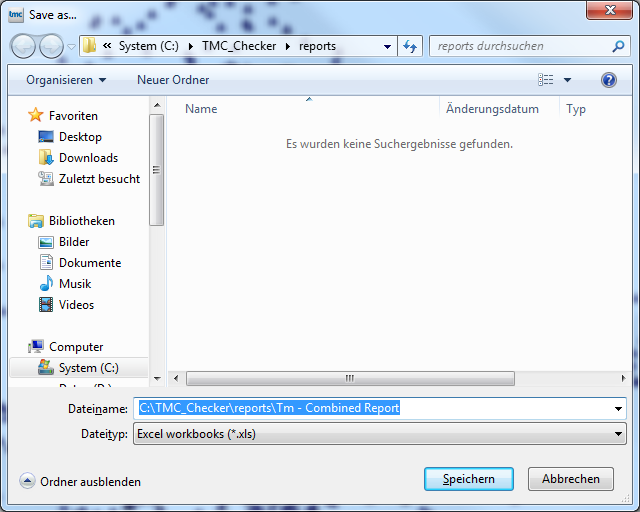
The file is saved as an Excel workbooks (*.xls) in the appropriate folder.
When clicking save, the excel file will automatically be opened. It show the different errors found while checking the TMC.


Important Advice
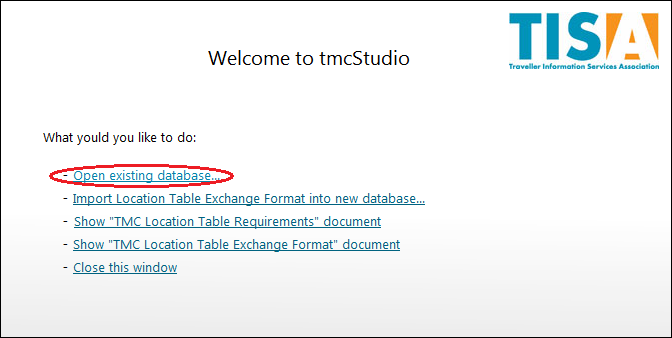
If the Check has to be redone, not all the data has to imported for a second time. When using it for again, at the Welcome-window Open existing database... is chosen for importing the data of the prior use.
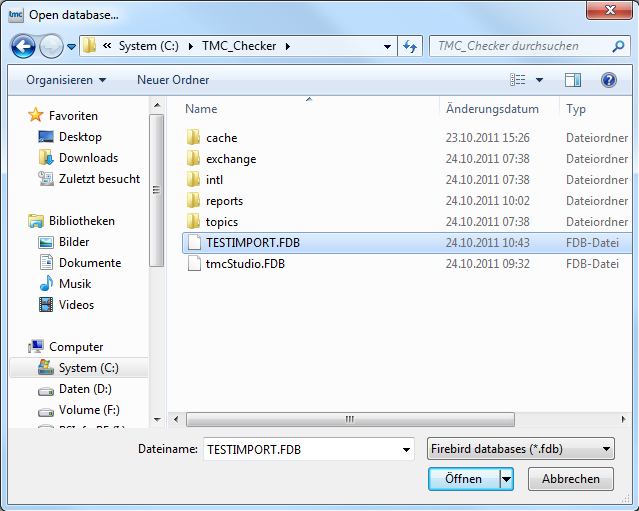
The file saved before is chosen and afterwards opened.
Important Advice
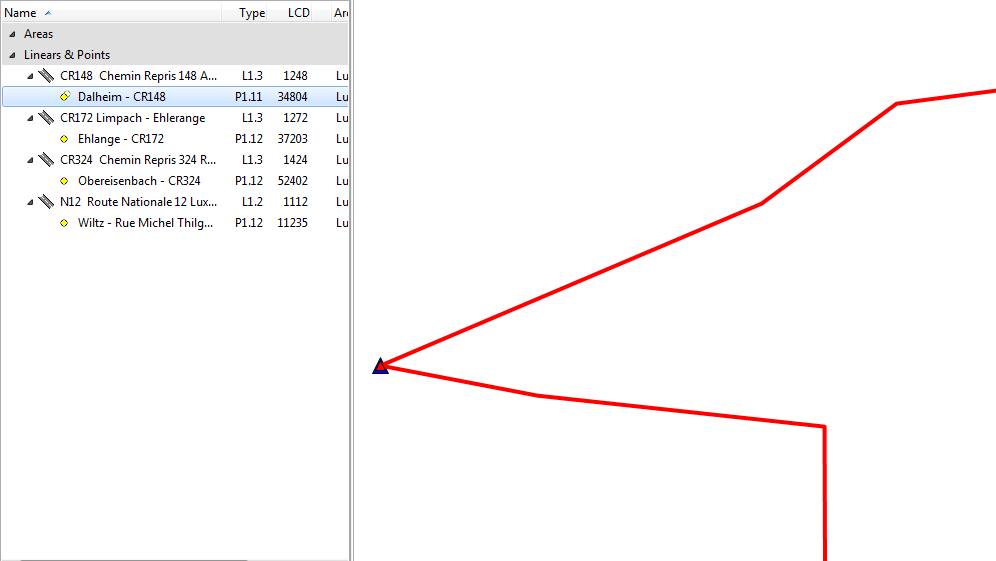
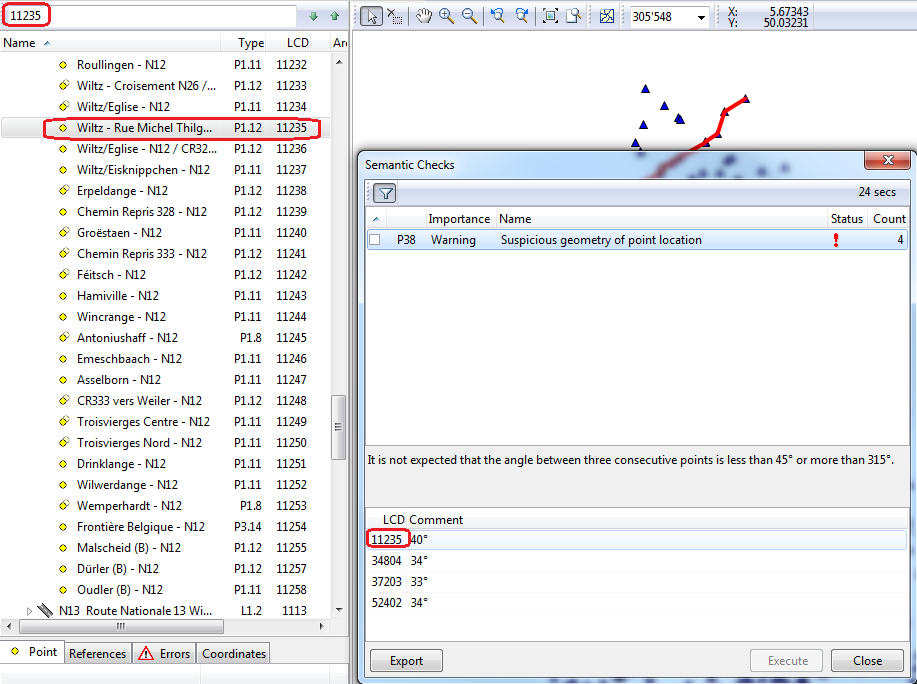
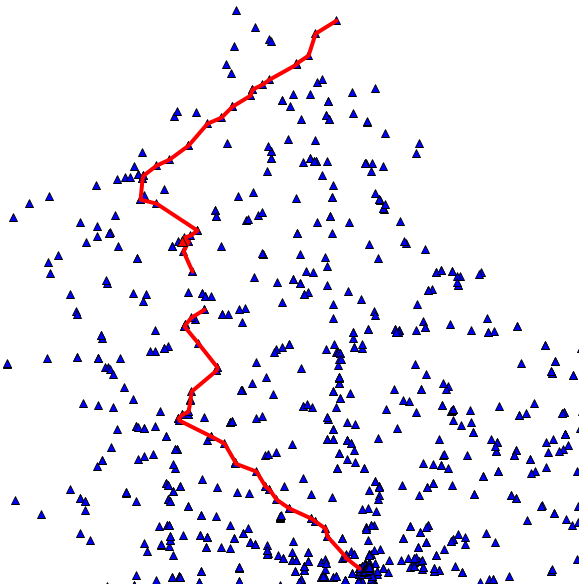
If the errors have to be visualized on the map, the LCD-Number of the street, given in semantic, respecitvely structural checks is searched in the tree by the Search Tree function.
It's possible to have in the tree only the points containing errors. For this, the visibility settings have to be edited and the Semantic Errors activated by putting a tick in front of the error.