Difference between revisions of "Structural Checks"
| Line 14: | Line 14: | ||
| − | |||
| − | |||
| − | |||
| − | |||
| − | |||
| − | |||
| − | |||
| − | |||
| − | |||
| − | |||
| − | |||
| − | |||
| − | |||
| − | |||
| − | |||
| − | |||
| − | |||
{{Warning}} | {{Warning}} | ||
<br> | <br> | ||
| Line 41: | Line 24: | ||
<br> | <br> | ||
<br> | <br> | ||
| + | |||
[[Category:Checks]] | [[Category:Checks]] | ||
Revision as of 17:04, 8 May 2012
Menu Checks → Structural Checks
Please refer to Semantic Checks to learn about Status symbols ( /
/ ), filtering checks, viewing check details or exporting check results to Excel.

 Important Advice
Only the major errors are shown in the structural checks, but not the warnings
Important Advice
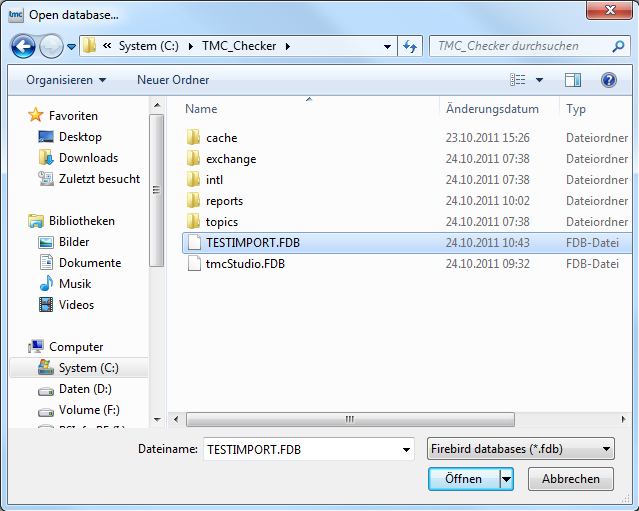
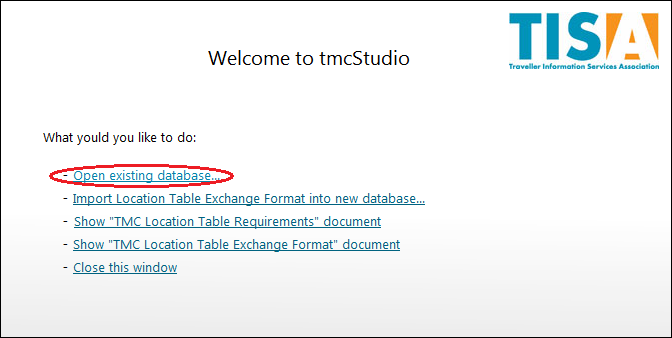
If the Check has to be redone, not all the data has to imported for a second time. When using it for again, at the Welcome-window Open existing database... is chosen for importing the data of the prior use.
The file saved before is chosen and afterwards opened.