Difference between revisions of "Options"
| Line 28: | Line 28: | ||
'''Connection Settings''' | '''Connection Settings''' | ||
| − | :If you imported the network from a shapefile (see [[Import Network Database From Shapefile]]), all settings will already be made. If not, click '''Connection Settings''' to open the corresponding window and enter the connection details. | + | :If you imported the network from a shapefile (see [[Import Network Database From Shapefile]]), all settings will already be made. If not, click '''Connection Settings''' to open the corresponding window and enter the connection details according to the following instructions. |
| + | |||
| + | :'''Database Type''' | ||
| + | ::Select '''Firebird (lokal)''' only! | ||
| + | |||
| + | :'''Database''' - | ||
| + | ::Click on the folder button [[file:button_folder.png|alt=|link=]] to select the database | ||
| − | |||
| − | |||
User name - must be sysdba | User name - must be sysdba | ||
Password: - must be masterkey | Password: - must be masterkey | ||
| Line 39: | Line 43: | ||
Display Network link: define color and pattern of Network link on the map | Display Network link: define color and pattern of Network link on the map | ||
Display TMC Link: define color and pattern of TMC Link on the map | Display TMC Link: define color and pattern of TMC Link on the map | ||
| + | |||
| + | |||
==Routing== | ==Routing== | ||
Revision as of 17:08, 7 August 2012

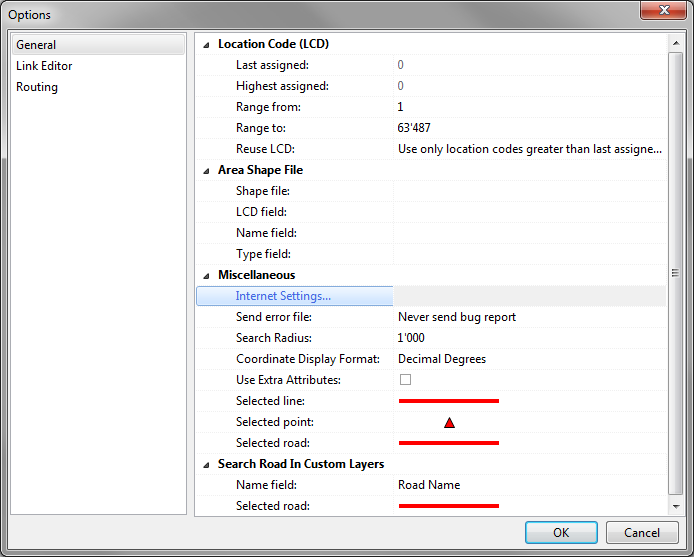
The Options window consists of up to three sections (depending on your access level), where you can manage global settings for tmcEditor:
General
Link Editor
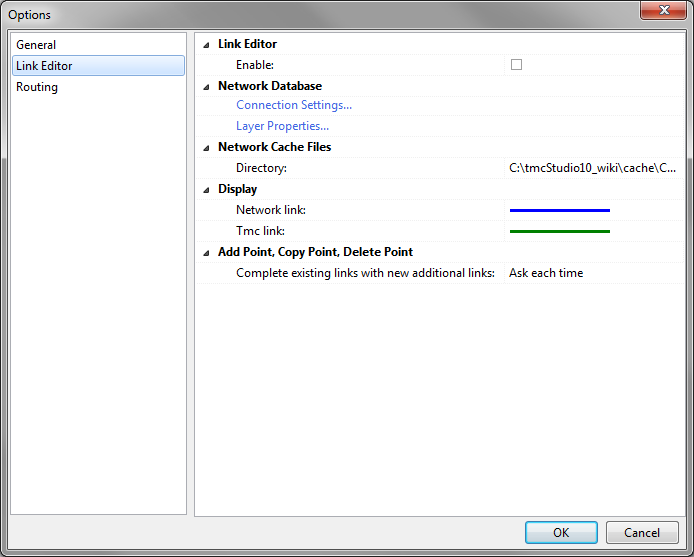
Enable
- When using Link Editor this option should be enabled in order to activate the corresponding buttons and functions.
Connection Settings
- If you imported the network from a shapefile (see Import Network Database From Shapefile), all settings will already be made. If not, click Connection Settings to open the corresponding window and enter the connection details according to the following instructions.
- Database Type
- Select Firebird (lokal) only!
- Database -
- Click on the folder button
 to select the database
- Click on the folder button
User name - must be sysdba
Password: - must be masterkey
Layer Properties: Configuration of the network layer, see next chapter
Network Cache File / Directory: Define where the cache file will be stored
Display Network link: define color and pattern of Network link on the map
Display TMC Link: define color and pattern of TMC Link on the map

