Options

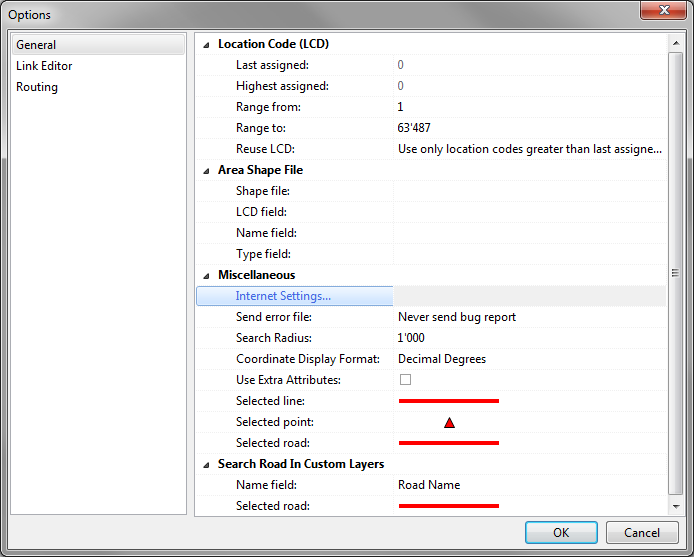
The Options window consists of up to three sections (depending on your access level), where you can manage global settings for tmcEditor:
General
Link Editor
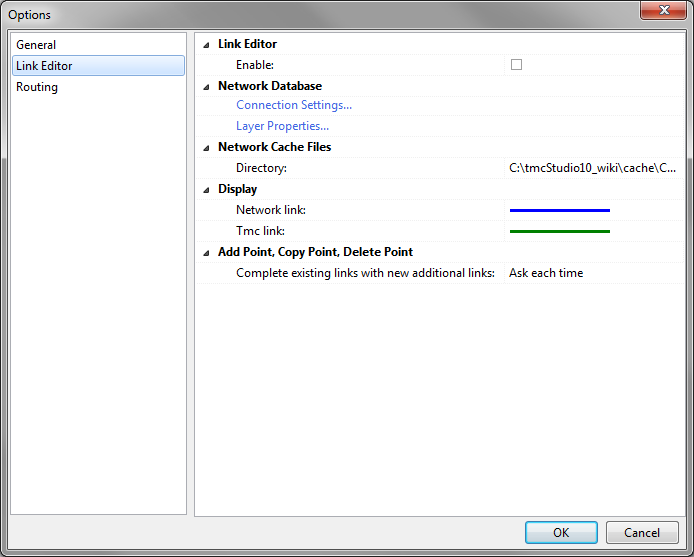
Enable
- When using Link Editor this option should be enabled in order to activate the corresponding buttons and functions.
Connection Settings
- If you imported the network from a shapefile (see Import Network Database From Shapefile), all settings will already be made. If not, click Connection Settings to open the corresponding window and enter the connection details.
Database Type - must be Firebird (lokal)
Database - click on Folder to select Database
User name - must be sysdba
Password: - must be masterkey
Layer Properties: Configuration of the network layer, see next chapter
Network Cache File / Directory: Define where the cache file will be stored
Display Network link: define color and pattern of Network link on the map
Display TMC Link: define color and pattern of TMC Link on the map

